
The offline time tracker.
No account. No cloud. No telemetry.
Local-first billable time tracking for consultants and small teams who refuse to upload client hours to another SaaS. One license, Windows + macOS, your data stays on your machines — and now follows you across all of them through any folder you already sync (Dropbox, OneDrive, iCloud, SyncThing, NAS) with no cloud account anywhere.
See it in action
Click any screen to enlarge
Everything you need. Nothing you don't.
Fast, reliable time tracking for anyone who needs to log hours on customer cases.
One-click tracking
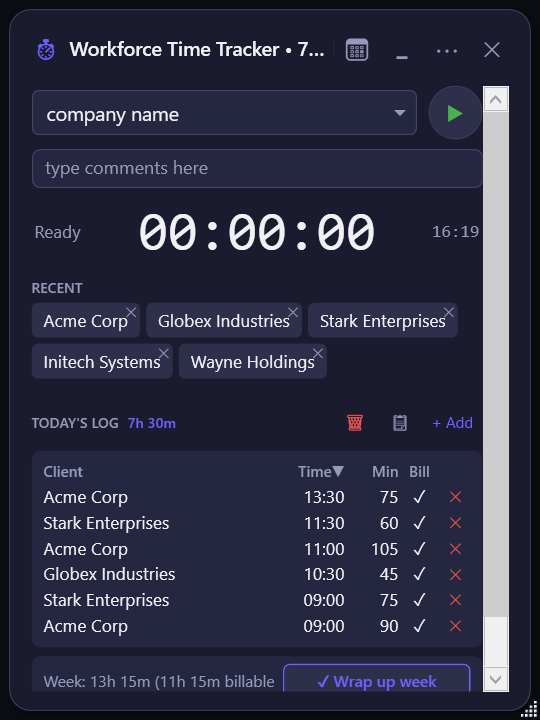
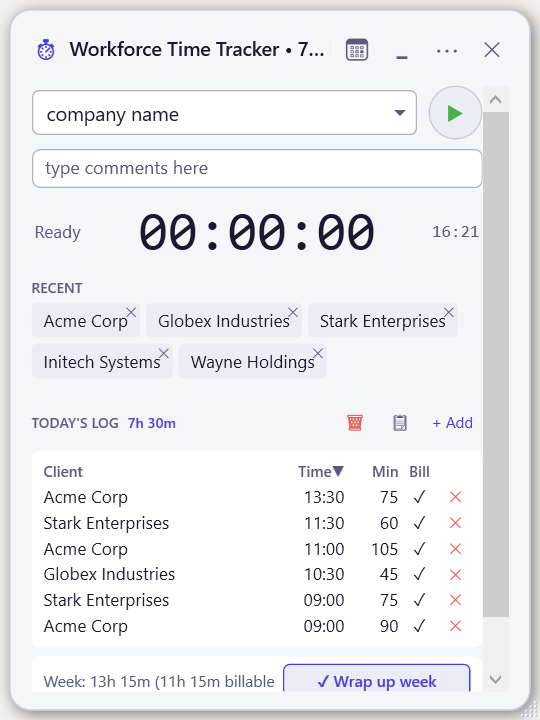
Start and stop timers per customer or case with a single click. Recent entries remembered for instant switching.
Excel export
Export to a 3-tab workbook: raw entries, daily summaries, and weekly totals. Ready for invoicing.
Auto-tracking
Detects which client or case you're working on from your active window. Starts and stops timers automatically. Works with Salesforce, Microsoft Dynamics 365, Jira, Azure DevOps, Zendesk, ServiceNow, and more — no internet required.
100% offline & private
All data stored locally. No vendor cloud, no account, no telemetry. Your organisation still controls its own devices and sync providers.
Copy summaries
One-click copy of today's breakdown to clipboard. Paste into standups, Slack, or reports.
System tray & auto-start
Runs silently in your tray. Auto-starts with Windows. Always-on-top mode available.
Multi-device, no cloud account
Point at any folder you already sync (Dropbox / OneDrive / iCloud / SyncThing / NAS). For strict EU-only or air-gapped handling, use SyncThing, an internal share, or a NAS; commercial providers remain part of your organisation's assessment.
Up and running in 30 seconds
Download & run
Single portable .exe — no installer, no admin rights. Runs from any folder.
Track your time
Select a customer, click Start. Switch cases with one click. Timer runs in your tray.
Export & invoice
Export to Excel with daily breakdowns and weekly totals. Done.
Your hours never leave your control
Every other major time tracker is a cloud account hiding in app's clothing. We're the opposite.
No vendor account
You never sign up to the Workforce application. Download, run, and keep your data local. We do not receive your time-entry data, but your chosen sync provider and endpoints remain part of your organisation's security and privacy boundary.
No telemetry
The app makes exactly one optional outbound call: a version check to workforcetimetracker.com/version.json. Nothing else. Disable it in Settings if you want zero outbound traffic.
Plain JSON files
Your time entries, customers, settings, and license live in human-readable JSON in a folder you control. Diff them, grep them, back them up to your NAS, archive them in 30 years — you own the format.
Air-gap friendly
Works on machines that have never seen the internet. It provides a technical foundation for restricted environments, but your organisation still needs to assess encryption, endpoint controls, employee-monitoring rules, sync providers, and procurement requirements.
Sync providers you chose
Multi-device sync uses a folder you choose: SyncThing, Nextcloud, an SMB share on your own NAS, or a commercial provider such as Dropbox, OneDrive, or iCloud. We do not run a sync server, but your chosen provider remains part of your organisation's data-protection assessment.
Your data survives the subscription
Your local data remains readable and exportable if you stop using the product. No server shutdown can take your time entries or customer list away from you.
One license. Three ways to work.
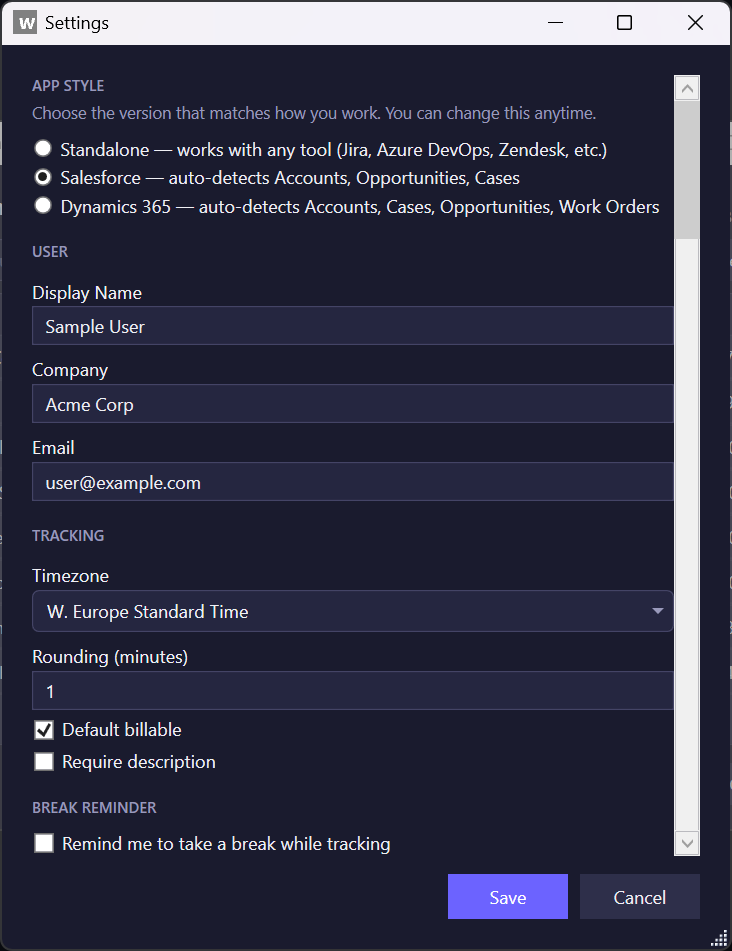
Choose the version that matches how you work. Switch between them anytime in Settings — no extra purchase, no re-install.
Standalone
For consultants, freelancers, agencies, internal IT, and support teams. Auto-detects work in Jira, Azure DevOps, ServiceNow, Zendesk, Freshdesk, Asana, Linear, Monday.com — or just track manually.
Salesforce
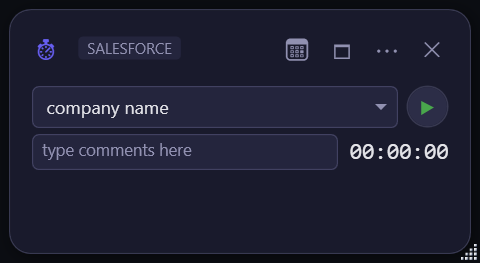
For teams that live in Salesforce. Auto-detects Accounts, Opportunities, Cases, Contacts, and Leads from the active tab. Same time-tracking core, with Salesforce-aware suggestions out of the box.
Dynamics 365
For Microsoft Dynamics 365 and Power Apps users. Auto-detects Accounts, Cases, Opportunities, Work Orders, and Contacts from Sales Hub, Customer Service, Field Service, and any model-driven app.
One license covers all editions. Live record-sync (push entries directly into Salesforce or Dynamics) is on the roadmap as an optional Connect add-on.
Simple, transparent pricing
The full product is available during the 14-day trial. Choose a licence only when you are ready to keep using it. Licence requests are currently handled by email.
Use it first. Support it if it helps.
Workforce Time Tracker is being developed independently. Try the full product, keep your data local, and tell us what would make it indispensable. Optional support helps fund continued Windows and macOS development while the product earns its place.
Optional support helps keep the product independent and local-first.
Don't take our word for it
Every claim on this page is checkable before you pay. Here is how.
Open the trial offline
Download, unplug the network, run. Track a week, generate a PDF invoice, export to CSV - all work with zero outbound connectivity. Same binary paid customers run, no feature flags.
Open your own data files
After 10 minutes of tracking, open customers.json and timeentries.json with any text editor. Plain UTF-8 JSON, no proprietary format. You can grep, diff, archive, or migrate at any time.
Read the EULA
Section 8.5 is a contractual commitment that your local data files remain yours after termination, in plain JSON, with no lock/encrypt/wipe action from us. Read it here.
Inspect the outbound traffic
Run Wireshark or your firewall logs against the app. There is exactly one optional outbound call: an HTTPS GET to workforcetimetracker.com/version.json every 4 hours. Disable it in Settings to see zero traffic.
Verify the licence signature
Your licence is a JSON file with an RSA-PSS signature you can verify locally against the public key embedded in the binary. No server lookup required. The signature scheme is documented in the EULA.
Watch the update channel
The /version.json manifest and release notes are public. You can audit what changes ship and when, before installing.
Independent, focused, locally-built
Workforce Time Tracker is built and maintained by an independent developer working out of the Netherlands. The product exists because every commercial time tracker tested wanted client lists in a vendor cloud, and EU clients started asking pointed questions about that during procurement.
There is no VC behind this, no growth team, no upsell roadmap. Your subscription funds full-time development of one focused desktop product on Windows and macOS. For questions email [email protected] or open a support ticket at [email protected].
Common questions
Do I need an internet connection?
No. The app is 100% offline. Your license is validated locally — no server contact ever.
Where is my data stored?
By default, in the same folder as the .exe (Windows) or under ~/Library/Application Support/WorkforceTimeTracker/ (macOS), as plain, unencrypted JSON files. For strict EU-only handling, use an internally controlled share, NAS, or SyncThing. Commercial sync providers are optional and must be assessed by your organisation.
How does multi-device sync work without a server?
You pick a folder you already sync. The app moves plain JSON files into that folder and your existing tool replicates them. For strict EU-only handling, use SyncThing, an internal share, or a NAS; commercial cloud providers add their own processing and transfer considerations. Concurrent edits can create conflicts that require manual review.
Can I use this for a team?
Yes. Buy one per-user licence per team member. Customers and time entries are shared via the data folder you already replicate. The admin console publishes org-wide defaults and dropdown option lists. Use the approval workflow as a coordination aid; approved fields are stored locally and are not tamper-evident.
Can the whole team trial it before we buy?
Yes. The 14-day trial is per install. Drop the binary on every team member's machine, point them all at the same shared data folder, and each install runs a full-feature trial for 14 days from its first launch - including the manager approval workflow. No credit card required to start.
I already use another time tracker. Can I bring my history?
Clockify CSV: yes - Settings > Import Clockify CSV (use the "Detailed report" export). Customers are created automatically, entries land in your local store. Other SaaS trackers: no dedicated importer yet; export to CSV and rename columns to match the Clockify Detailed-report format (the importer is forgiving about header names). Native importers for additional formats are on the roadmap.
What if my license expires?
14-day grace period, then a renewal reminder. Your data is never locked.
Can I transfer to another machine?
Copy the .exe and data file. Your license works on any number of your own devices.
Is there a Mac version?
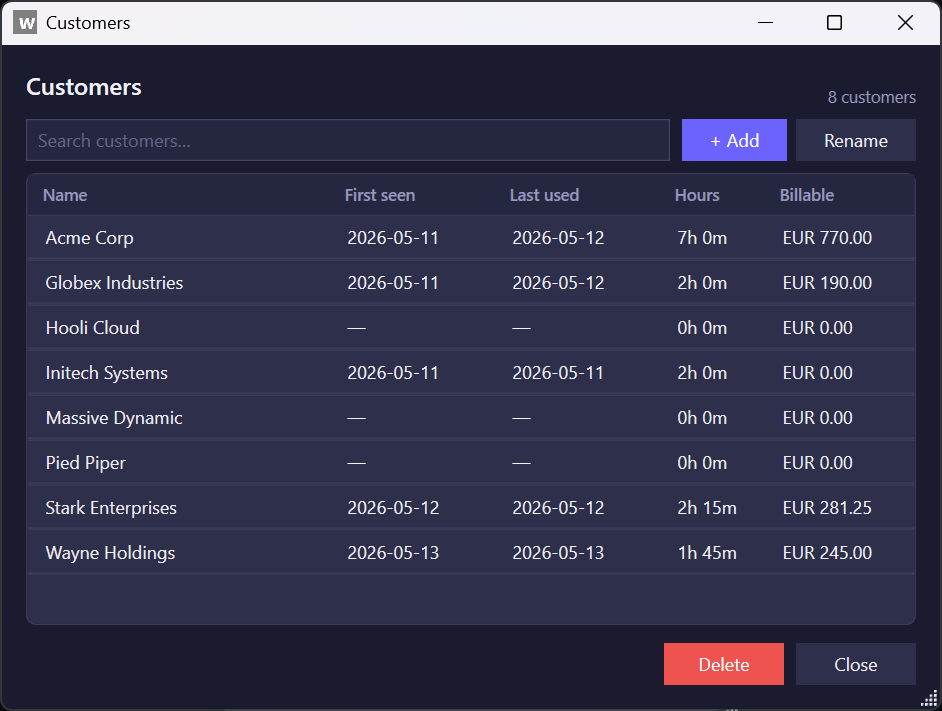
Yes - macOS 13+ on Apple Silicon, currently in ALPHA at v1.4.0. Same product, same data files, one license unlocks both platforms. The Windows build has moved on to v1.9.2; the Mac build is one tier behind on features and on UI polish (compact-mode transparency slider, customer-management screen, modern toast notifications, sortable today's log all land in a later Mac release). The Mac build covers the core day-to-day workflow (week calendar, idle prompt, PDF invoicing, CSV import, multi-device sync) and is ad-hoc-signed (Gatekeeper needs one click on first launch). Report bugs at [email protected].
Start tracking time in 30 seconds
Download the free trial. No account needed, no credit card required.